Step 6 of 6 · Marketing Management & Strategy
Instructor view
Your dashboard and controls
Instructor view · 01
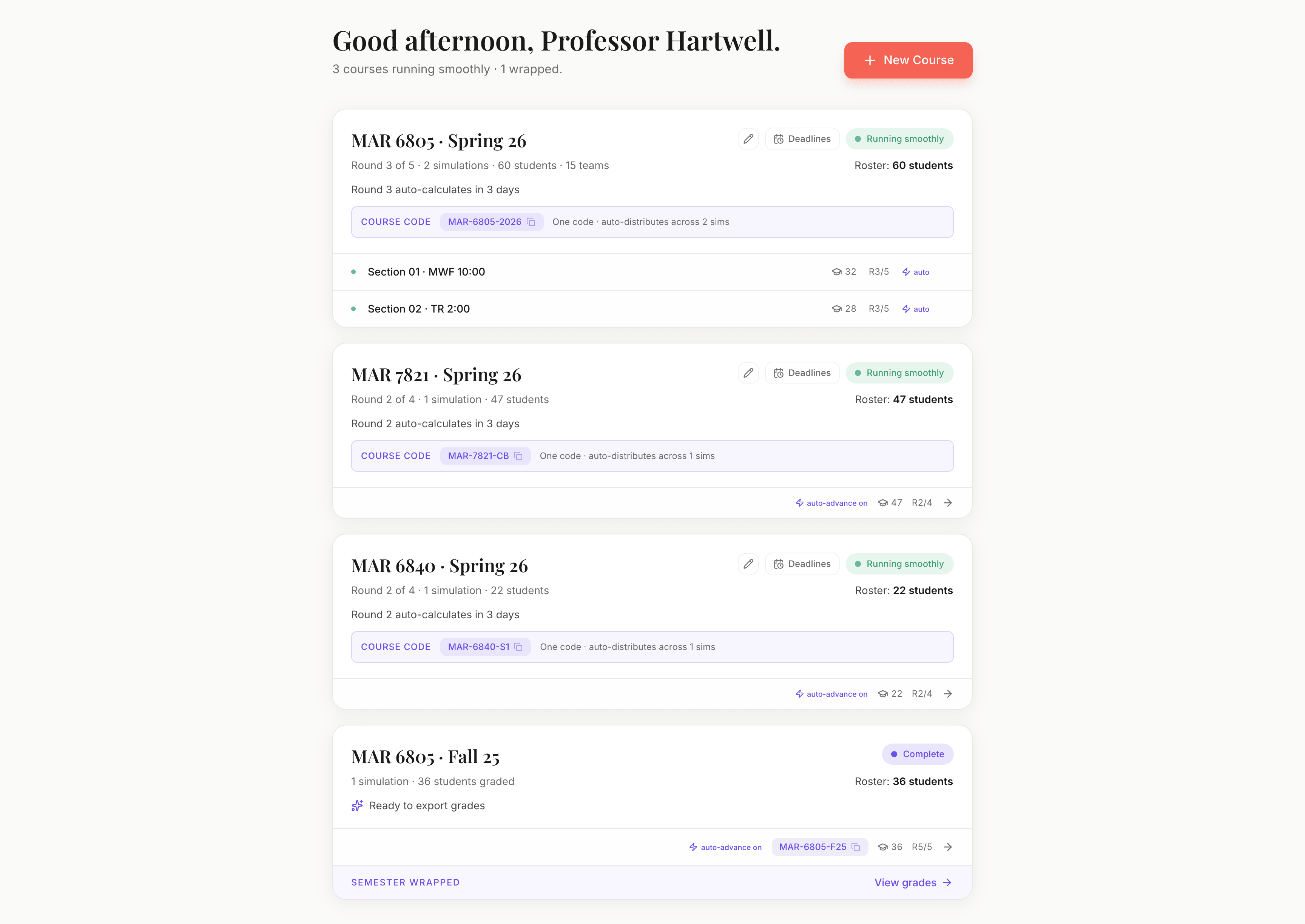
Course health, at a glance
Every course shows a single card on your dashboard with the current round, who has submitted, and any flagged issues. Most weeks, you check it for two minutes.
Instructor view · 02
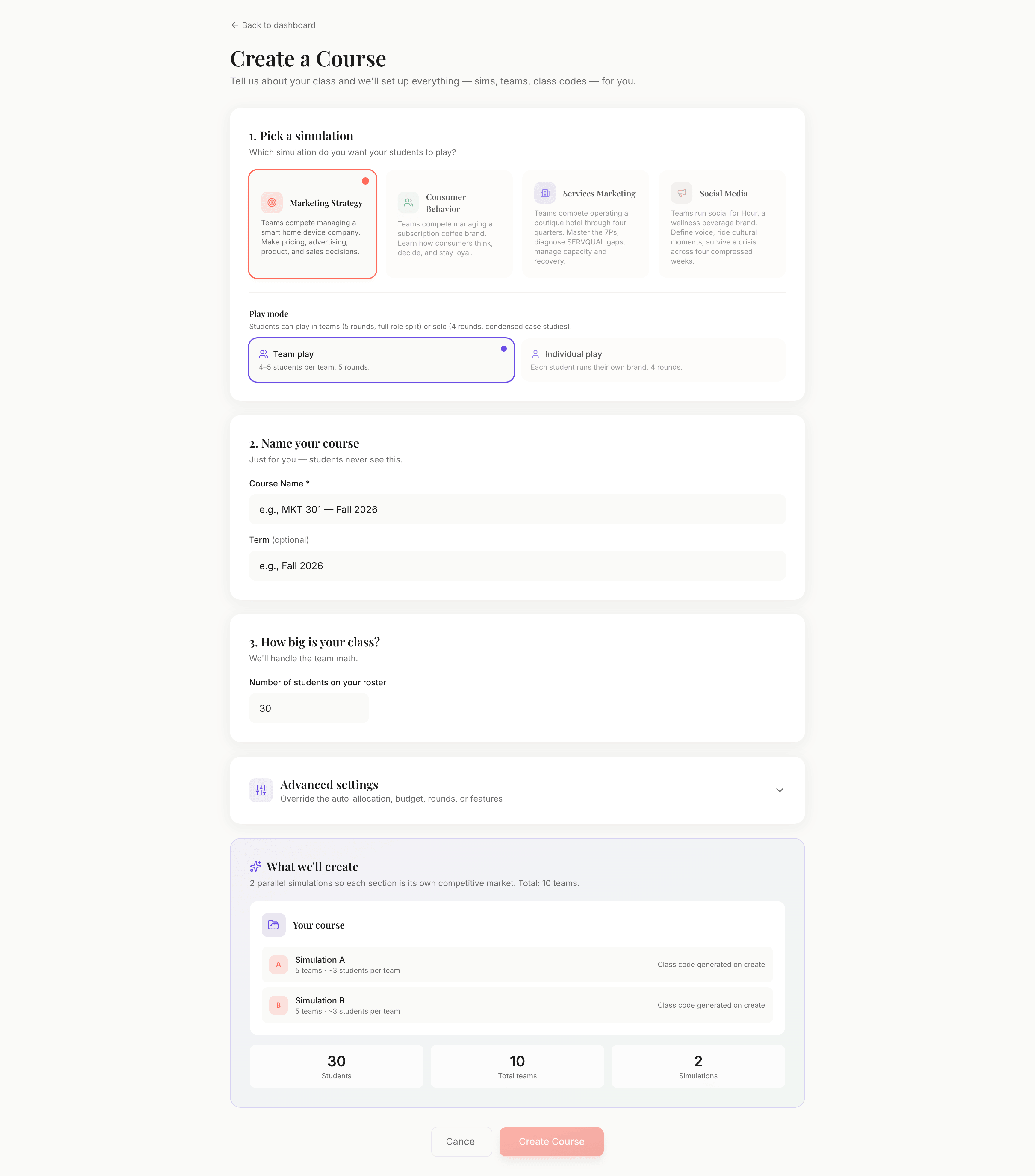
Course wizard, one form
Type a roster size and the wizard auto-allocates simulations and teams. No spreadsheets, no manual roster import. Class codes are generated for you.
Instructor view · 03
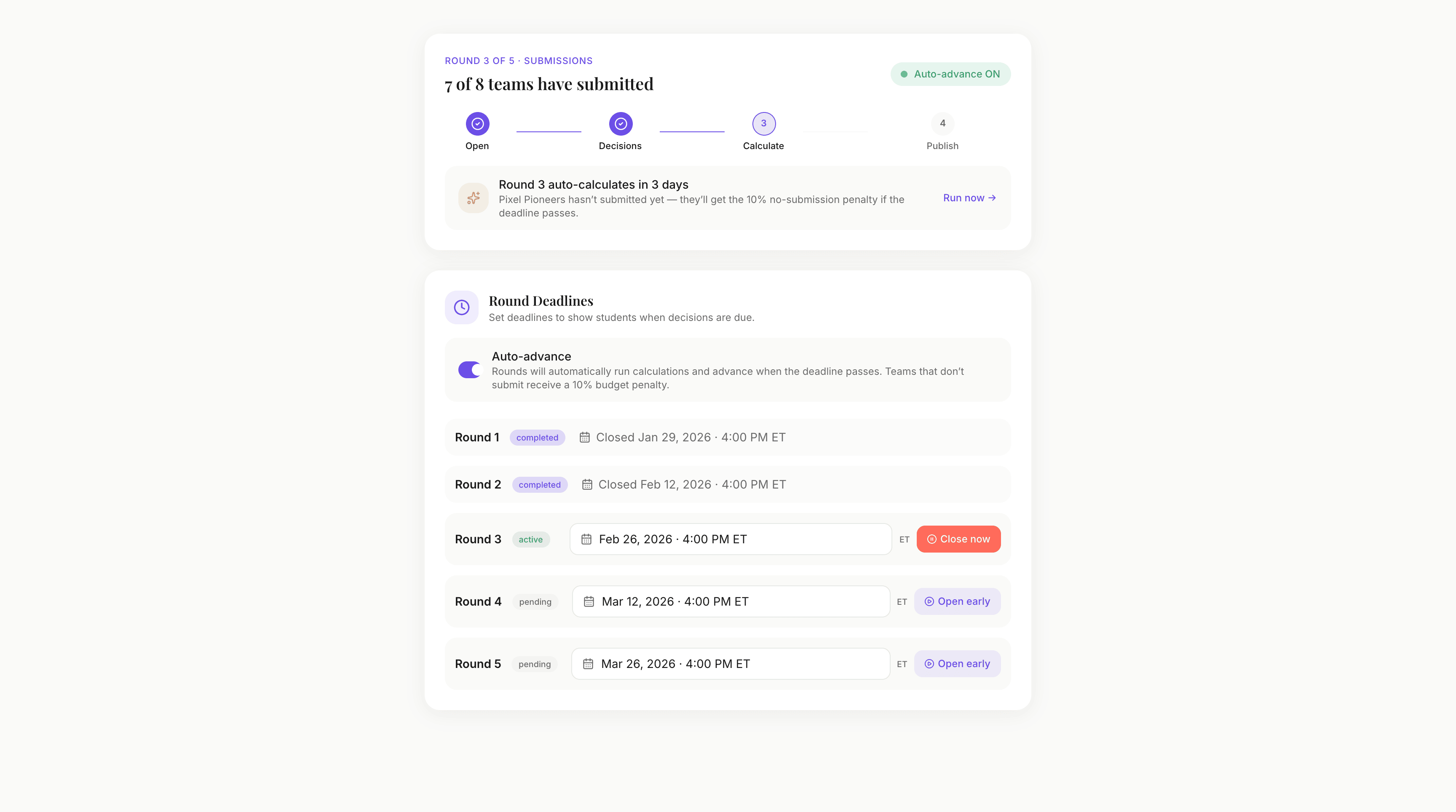
Round controls + auto-advance
Open and close rounds manually, or let auto-advance run them on a schedule. If you go on vacation mid-semester, the sim keeps moving without you.
Instructor view · 04
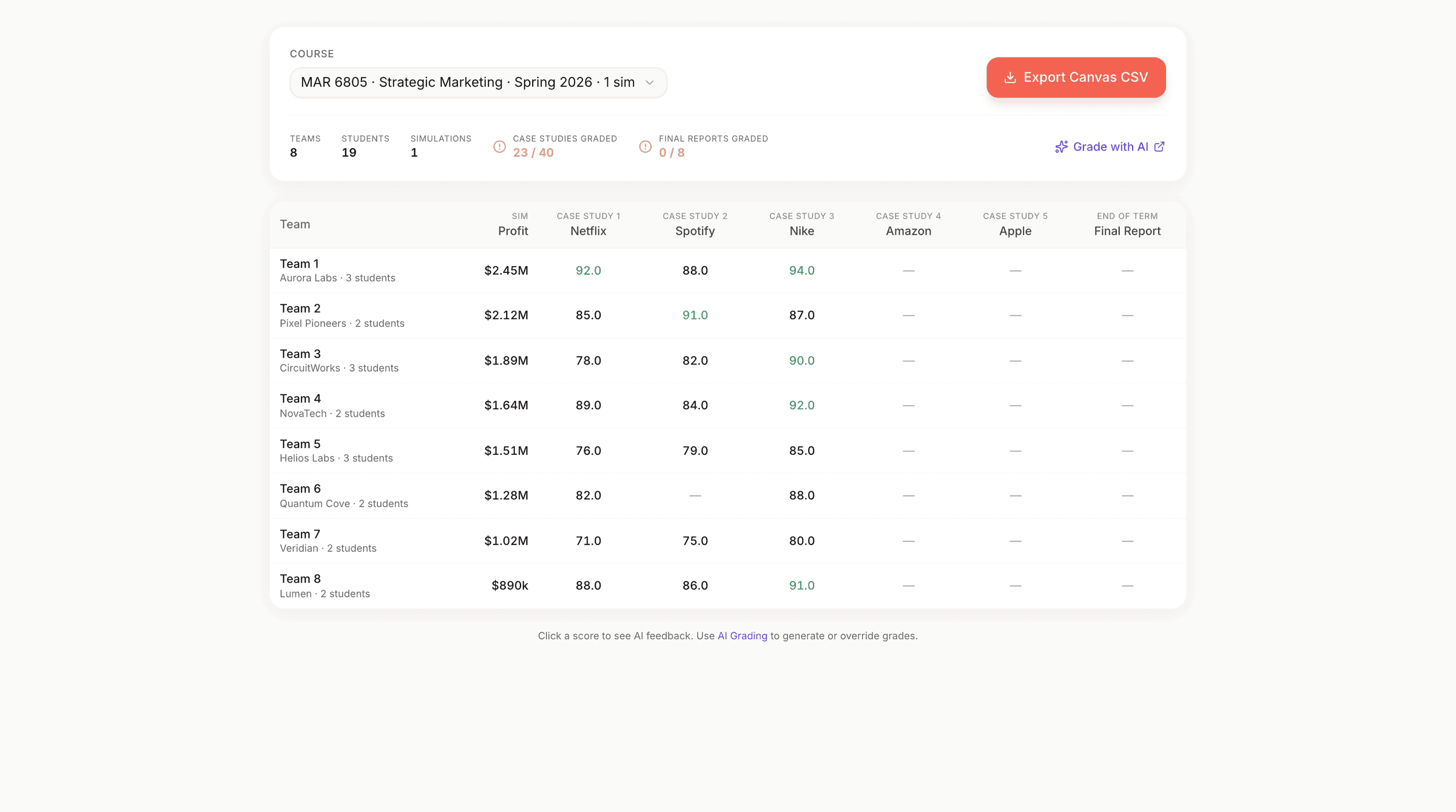
Gradebook with auto-grades
Every case study is graded by GPT-5.6 Terra against the answer key you control. You can spot-check, override, and export to CSV when the semester ends.
Instructor view · 05
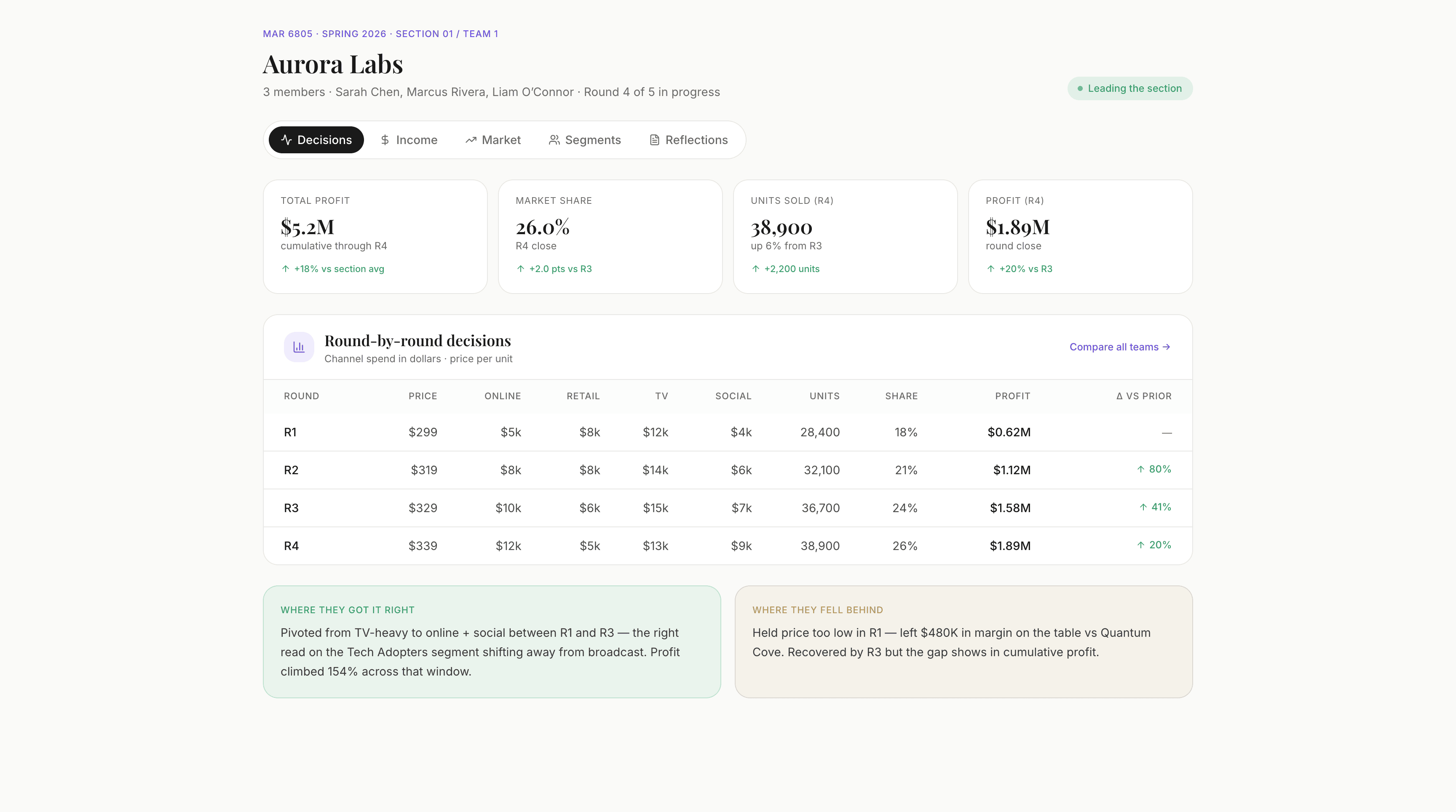
Per-team analytics
Drill into any team to see their round-by-round decisions, results, and where they fell behind. Useful when a student emails you saying they got robbed.
Instructor view · 06
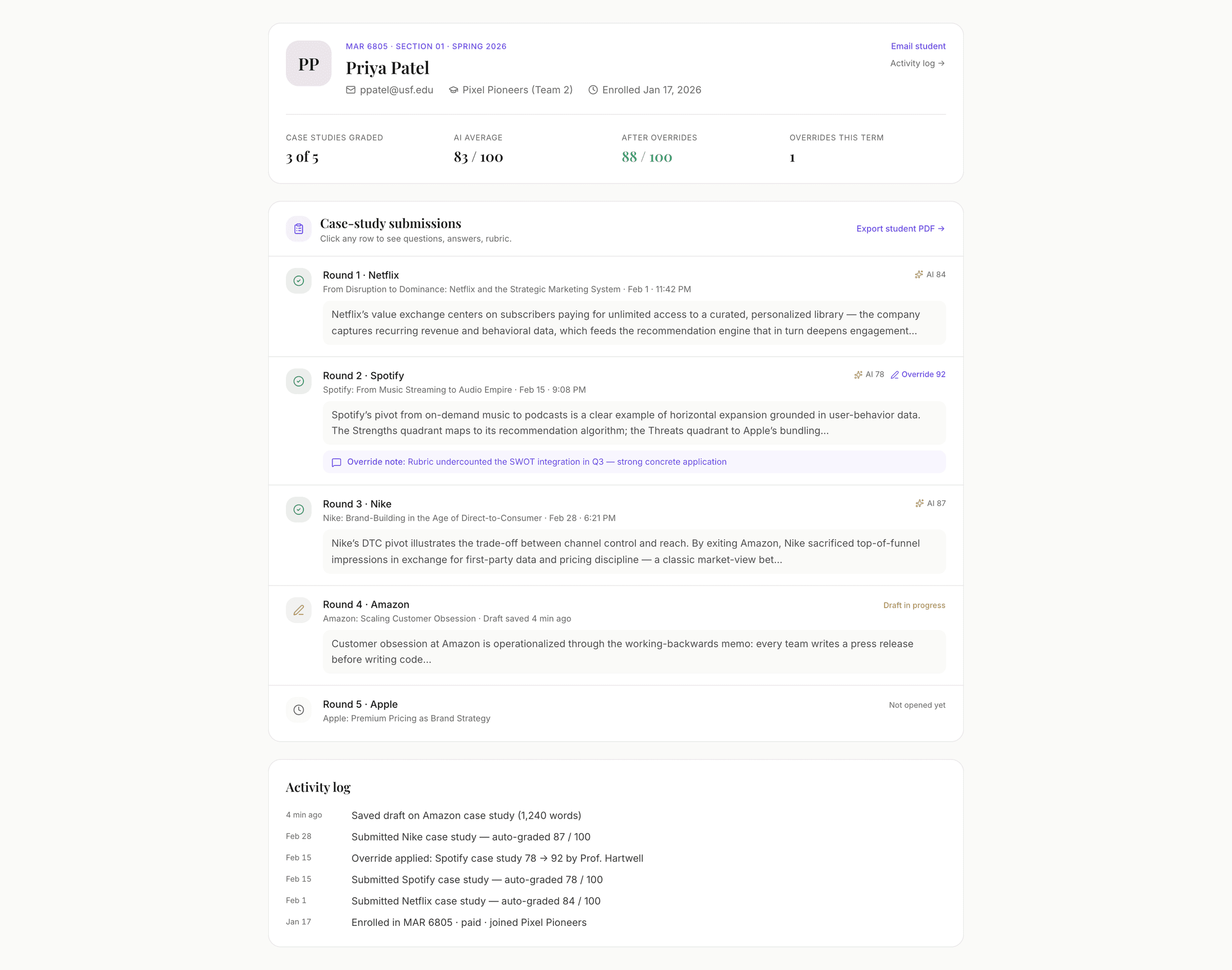
Per-student detail
See each round a student played: the results, where they ranked, the decisions behind them, and the Coach’s Take where the simulation gives one. Then their case-study answers and auto-grades.